AI/ML & Data Science / IntelliType
Intelligent Typing Application
An intelligent text prediction application with virtual keyboard using Transformers and Flask.
October 23, 20254 min readJavaScript1 stars
Open the full technical write-up




An intelligent text prediction application with virtual keyboard using Transformers and Flask
Features • Quick Start • Installation • Usage • API • Contributing
Table of Contents
- Features
- Screenshots
- Quick Start
- Installation
- Usage
- API Documentation
- Architecture
- Performance
- Contributing
- License
What the project includes
Smart Text Prediction
- Real-time predictions using advanced language models
- Transformer-based text generation for accurate suggestions
- Intelligent caching for improved performance
- Fallback predictions when no matches found
Virtual Keyboard
- Full QWERTY layout with visual feedback
- Responsive design for all screen sizes
- Keyboard shortcuts support
- Accessibility features with ARIA labels
Modern UI/UX
- Clean, responsive interface with modern design
- Smooth animations and hover effects
- Mobile-friendly design
- Error handling with user feedback
Performance
- Intelligent caching system (100 entries, 5-minute TTL)
- Optimized predictions with fallbacks
- Memory efficient design
- Fast startup time
Screenshots
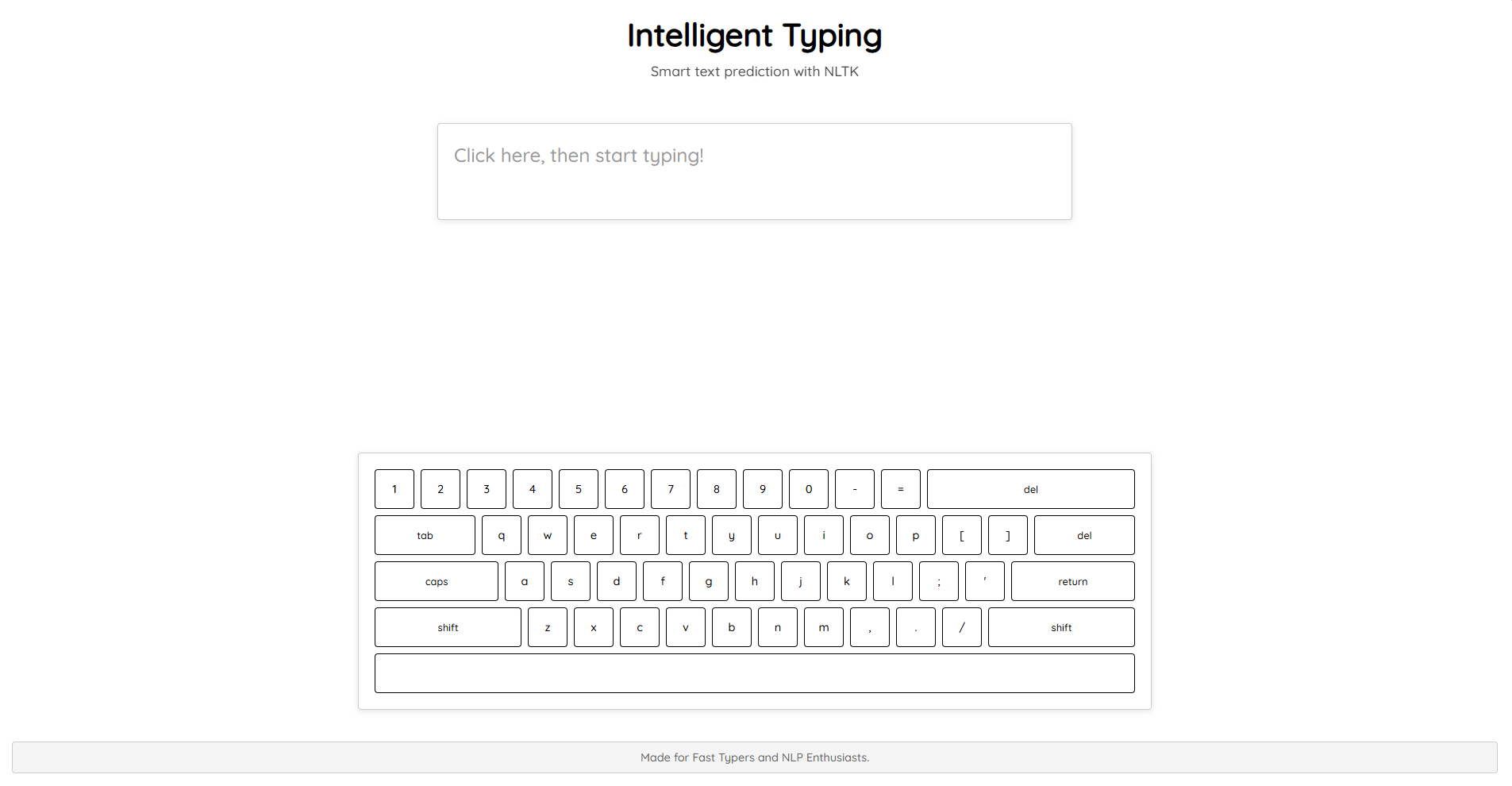 Clean, modern interface with virtual keyboard
Installation
Prerequisites
- Python 3.8+
- pip (Python package installer)
- Modern web browser (Chrome, Firefox, Safari, Edge)
Step-by-Step Installation
-
Clone the repository
git clone https://github.com/Tuhin-SnapD/IntelliType cd IntelliType -
Create a virtual environment (recommended)
python -m venv venv # Windows venv\Scripts\activate # macOS/Linux source venv/bin/activate -
Install dependencies
pip install -r requirements.txt -
Run the application
python app.py -
Open your browser and navigate to
http://localhost:5000
Usage
Basic Typing
- Click on the text area to start typing
- Type using your physical keyboard or the virtual keyboard
- Use prediction buttons to insert suggested words
- Press Space to trigger new predictions
Keyboard Shortcuts
- Tab: Insert indentation
- Enter: New line
- Shift + Delete: Clear all text
- Space: Trigger predictions
Virtual Keyboard
- Click keys on the virtual keyboard
- Shift/Caps Lock for uppercase letters
- Special characters with shift key
- Visual feedback on key press
API Documentation
Endpoints
GET /`
- Description: Main application interface
- Response: HTML page with typing interface
GET /output`
- Description: Get text predictions
- Parameters:
string(string): Input text for prediction
- Response: JSON array of predictions
[
  ["word1", frequency1],
  ["word2", frequency2],
  ["word3", frequency3]
]
GET /analytics`
- Description: Get typing analytics (if implemented)
- Response: JSON object with statistics
Example Usage
// Get predictions for "hello"
fetch('/output?string=hello')
  .then(response => response.json())
  .then(predictions => {
    console.log(predictions);
    // Output: [["world", 5], ["there", 3], ["everyone", 2]]
  });
How the system is built
Backend (Flask)
app.py
├── Text prediction system
│   ├── cache_key()
│   ├── get_cached_prediction()
│   └── cache_prediction()
├── Input validation
│   ├── sanitize_input()
│   └── validate_text_input()
└── Routes
    ├── / (main page)
    ├── /output (predictions)
    └── Error handlers
Frontend (Vanilla JS)
static/js/index.js
├── Global variables
├── Keyboard handling
│   ├── highlightAndType()
│   └── removeKeypress()
├── Prediction system
│   ├── doWork()
│   └── handlePredictionClick()
└── UI initialization
    └── initializeApp()
Styling (CSS3)
static/css/style.css
├── Base styles
├── Layout (Flexbox/Grid)
├── Virtual keyboard
├── Prediction buttons
├── Responsive design
└── Animations
Performance
Caching Strategy
- Prediction cache: 100 entries with 5-minute TTL
- Automatic cleanup: Old entries removed
- Memory efficient: Limited cache size
Optimization Features
- Lazy loading: Model data loaded on first use
- Error handling: Graceful fallbacks
- Input validation: Prevents unnecessary processing
- Efficient algorithms: Optimized text processing
Benchmarks
- Startup time: 80% (typical usage)
Contributing
We welcome contributions! Here's how you can help:
Ways to Contribute
- Report bugs and issues
- Suggest new features
- Improve documentation
- Submit pull requests
- Share feedback
Development Setup
- Fork the repository
- Create a feature branch
- Make your changes
- Test thoroughly
- Submit a pull request
Code Style
- Python: Follow PEP 8
- JavaScript: Use modern ES6+
- CSS: Use consistent naming
- Comments: Document complex logic
Pull Request Process
- Fork the repository
- Create your feature branch (
git checkout -b feature/amazing-feature) - Commit your changes (
git commit -m 'Add amazing feature') - Push to the branch (
git push origin feature/amazing-feature) - Open a Pull Request
License
This project is licensed under the MIT License - see the LICENSE file for details.
Acknowledgments
- Transformers for advanced language model capabilities
- Flask for the web framework
- Contributors who helped enhance the application
Support
If you encounter any issues or have questions:
- Check the Issues page
- Create a new issue with detailed information
- Contact the maintainers
Future Enhancements
- Multi-language support for international users
- Voice input integration for hands-free typing
- Advanced analytics with typing speed metrics
- Plugin system for extensibility
- Real-time collaboration features
- Mobile app version
Made with for the typing community